
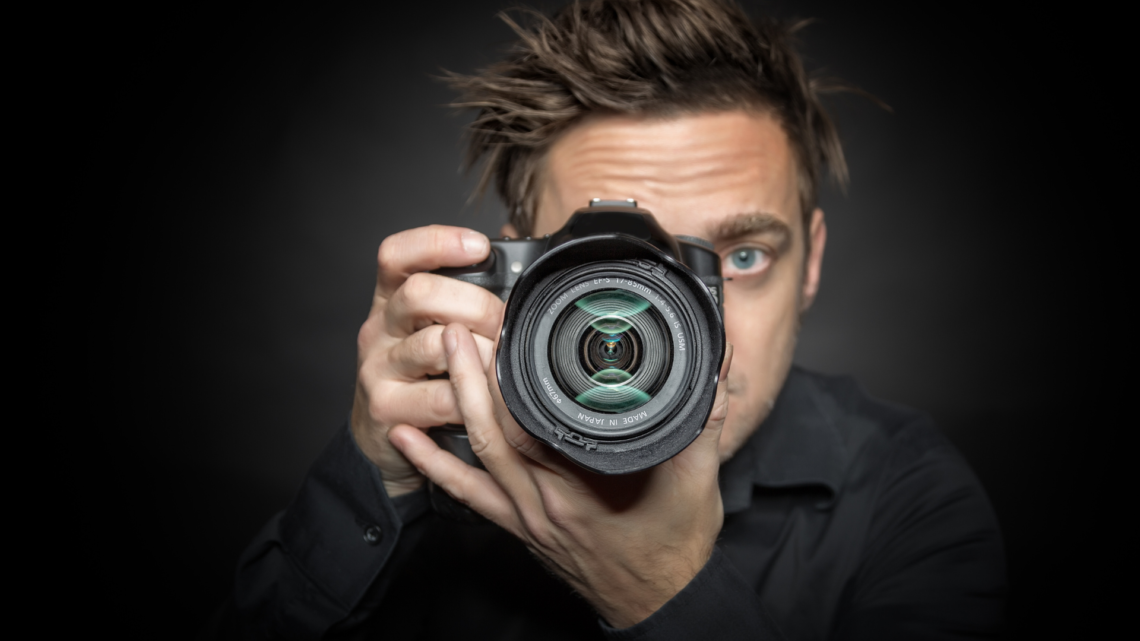
You want sharper photos that capture crisp detail and freeze the moment without blur. Use steady support, the right shutter speed for your subject, and precise focus to get consistently sharp images.
They will learn practical camera settings, simple stabilization tricks, and focus methods that work with any camera, so shots come out clearer more often.
This article walks through proven techniques and quick adjustments you can apply immediately to take noticeably sharper photos.
Mastering the Techniques for Sharp Photos
This section gives actionable steps to eliminate camera shake, lock accurate focus, control motion blur, select the sharpest aperture, manage ISO for clarity, maintain lens quality, use modern camera aids, and refine sharpness in post-processing.
Optimize Camera Stability and Minimize Shake
Photographers should use a sturdy tripod or travel tripod whenever possible to eliminate hand-holding shake. A tripod with a solid head and low center of gravity reduces mirror slap and camera movement that causes soft images.
Use a remote shutter release, cable release, or the camera’s self-timer to avoid squeezing the shutter button. Engage mirror lock-up (MLU) or use the electronic front curtain shutter on compatible cameras to reduce internal vibration during exposure.
If hand-holding, apply the reciprocal rule as a starting point: use a shutter speed equal to or faster than 1/(focal length × crop factor). Add image stabilization or vibration reduction if available, but switch it off on a tripod to prevent IS-induced blur. Brace against solid surfaces and exhale slowly before the shot.
Select the Right Focus Settings and Techniques
Choose single-point autofocus for static subjects and continuous AF (AF-C) with tracking for moving subjects. Place the single focus point on the subject’s critical detail—eyes for portraits or the texture edge for landscapes—to avoid missed focus.
Use back-button focus (AF-ON) to separate focusing from exposure and prevent refocusing when recomposing. For low-contrast or manual-focus lenses, use focus peaking or magnified live view, and switch to manual focus to achieve pinpoint sharpness.
Shoot in burst mode when timing matters; continuous shooting increases the chance of capturing a tack-sharp frame. When precision matters, focus-recompose carefully or use focus and recompose only when the subject distance change is negligible.
Control Shutter Speed to Prevent Blur
Set shutter speed to freeze subject motion and avoid motion blur. For handheld work, follow the reciprocal rule (1/(effective focal length)) and multiply by at least 2× for moving subjects—e.g., 1/500s for a 200mm lens on full frame for safety.
For action, choose faster shutter speeds: 1/1000s or faster for sports or birds, 1/500s for moderate motion. Combine fast shutter speeds with higher ISO or wider apertures when light is limited. Use flash or continuous light to freeze motion when practical.
For static scenes on a tripod, use longer exposures but apply mirror lock-up and remote release to prevent camera shake. Use electronic shutter cautiously—some cameras show banding or rolling-shutter artifacts during fast motion or under certain lighting.
Choose the Ideal Aperture for Maximum Sharpness
Identify the lens’s sharpest aperture—often two to three stops down from maximum (commonly around f/5.6–f/8 for many primes and zooms). Shooting at the lens’s “sweet spot” minimizes spherical aberration and maximizes perceived sharpness.
Avoid extremely narrow apertures (f/16–f/22) unless depth of field demands it; diffraction at high f-numbers reduces fine detail. Use a narrow aperture only when depth of field outweighs diffraction loss—balance requirements by stopping down just enough to keep key elements sharp.
For shallow depth of field effects, use a fast lens at wide apertures and ensure precise focus on the critical plane. For landscapes, choose an aperture that balances depth of field and diffraction—test the lens to find its sharpest aperture for the intended output size.
Manage ISO Settings for Clarity
Keep ISO at or near the camera’s base ISO to minimize noise and retain fine detail. Increase ISO only as necessary to achieve the shutter speed required to prevent motion blur while maintaining your chosen aperture.
Use auto ISO with conservative maximum limits and minimum shutter speed tied to focal length to automate sensible exposure decisions. When high ISO noise appears, prefer shooting raw and apply targeted noise reduction in post to preserve edges and perceived sharpness.
Avoid excessive noise reduction that smears details. For critical work, test the camera’s high ISO performance and determine up to which ISO the files remain usable for the intended output and sharpening workflow.
Utilize Quality Lenses and Maintain Lens Cleanliness
Choose high-quality prime lenses or sharp zooms; primes like a 35mm f/1.8 or professional fast lenses usually deliver superior edge-to-edge sharpness. Invest in a well-corrected lens—optical quality often affects sharpness more than camera body megapixels.
Keep front and rear elements clean with a blower, microfiber cloth, and lens cleaner to prevent soft images from smudges or dust. Use a lens hood to reduce flare and maintain contrast, which enhances perceived sharpness.
Regularly service the lens mount and check for optical issues. Use prime lenses when maximum sharpness is critical and consider professional calibration (microfocus adjustment) for lenses that show consistent front- or back-focus on a particular body.
Leverage Modern Camera Features and Accessories
Enable image stabilization for handheld shots; switch it off when mounted on a tripod to avoid stabilization-induced blur. Use in-body image stabilization (IBIS) and lens VR together only when the manufacturer recommends the combined mode.
Use focus bracketing or focus stacking for macro and landscape scenes that require extreme depth of field and overall sharpness. Employ AF microadjustment or lens calibration tools to correct consistent front/back focus issues between the lens and the body.
Use a remote release, timer, or app-based tethering to avoid touch-induced vibration. Consider electronic first-curtain shutter or silent electronic shutter modes when vibration-sensitive setups would benefit, while monitoring for rolling-shutter artifacts.
Fine-Tune Sharpness in Post-Processing
Shoot raw to retain maximum detail and latitude for sharpening. Apply output-specific sharpening: stronger for web-sized images, gentler for large prints. Use targeted sharpening on edges and preserve skin texture with masked layers.
Start with noise reduction before sharpening if high ISO noise exists. Use tools like unsharp mask, high-pass, or modern neural sharpening (Topaz Sharpen AI) carefully—oversharpening creates halos and accentuates noise. Maintain a balance between perceived sharpness and natural texture.
Apply selective sharpening masks to avoid amplifying noise in skies or smooth areas. Export at the intended resolution and apply final output sharpening tuned for the file’s display or print size to achieve the best image sharpness.